There are very important question for newbees - how I can listen my music and watch my videos? As you know Ubuntu install only OGG and FLAC codecs from a box. These are exellent multimedia formats but many users use MP3 and AVI (DivX, Mpeg etc.). And maybe you want to watch your favourite DVD.
Well, that's easy. Go to Programs -> Add/Remove... and check in Sound&Video section these items:
- GStreamer ffmpeg video plugin
- GStreamer extra plugins
- GStreamer plugins for aac, xvid, mpeg2, faad
- GStreamer plugins for mms, wavpack, quicktime, musepack
Then go to Other section and check:
Ubuntu restricted extras
Macromedia Flash plugin
And then press Apply. Now additional codecs will be installed. After this you will be able listen your music and watch your videos. You also can use ffmpeg for convert video from one format to another, for example from flv to avi.
For watching licensed DVD you can use these commands (for Gutsy):
sudo wget http://www.medibuntu.org/sources.list.d/gutsy.list -O /etc/apt/sources.list.d/medibuntu.listAdd a GPG-key:
wget -q http://packages.medibuntu.org/medibuntu-key.gpg -O- | sudo apt-key add - && sudo apt-get updateNow launch Synaptic, update repositories, search and install these packages:
libdvdcss2
w32codecs
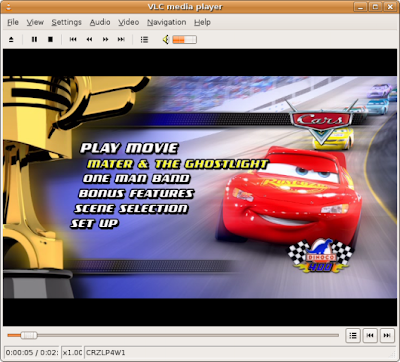
OK, now you can watch DVD. I recommend for this VLC Media Player. On the screenshot you can see a start menu from DVD "Cars" in VLC Media Player.